Deliver Great Product Documentation Right from Confluence
Create, manage, and publish product documentation all in one place, with the tool your team already knows and relies on.
What Is Product Documentation?
Product docs help users understand and succeed with an app or product. It allows you to convert complex technical info into a clear, organized guide that stays accurate, consistent, and up to date.
Create, Manage, and Deliver Great Product Documentation
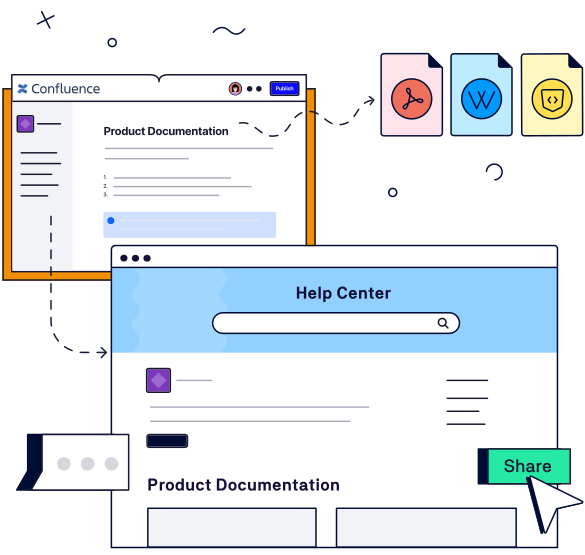
Scroll Content Tools extend Confluence to support a complete documentation workflow – without switching tools or duplicating content.
 | |
Centralized Authoring & ManagementManage creation and stay in control of a document’s structure, edits, and scale - all from one organized view. | Author Once, Publish AnywhereWrite documentation in Confluence, then reuse and publish them as branded help centers or polished PDFs to save time and scale easily. |
| |
Adapt for Different Users & RegionsDeliver targeted docs for every audience - with variants for tiers, platforms, roles, and easy management of multilingual content. | Manage Documentation LifecycleSave snapshots, control draft visibility, compare changes, and review, approve, and publish content efficiently. |
Is Scroll the Right Fit for Your Customer?
Quickly identify if the Product Documentation solution by K15t matches your customer’s needs.
They want to move away from siloed authoring tools to a unified, Confluence-based solution.
Their documentation is complex and requires structured authoring and collaboration.
They have a larger team of authors and reviewers who need to work together efficiently.
They need to manage multiple document versions and releases while keeping content up to date.
They expect a high standard for findability, UX, and brand consistency across all docs.
The Apps Behind the Solution
We recommend getting started with these Confluence apps:
| Version, track, and tailor content for different audiences and languages. |
| Publish and share Confluence content as a fully branded, user-friendly help center. |
| Export single pages or entire page trees as PDF documents with full customization options. |
Scroll Makes Product Documentation Work in Confluence
Here’s everything you can do with Scroll Content tools to deliver exceptional product docs.
Multi-Channel Publishing | Version & Variant Management | Translation Management |
Content Reuse | Custom Domains | AI-Powered Search |
Integrate with Support Desks | Protect & Restrict Content | Media & Rich Content Support |


Trusted by Brands Such As
A Secure & Scalable Solution for All Teams
Here’s how we meet your security, reliability, privacy, and compliance needs. For more details, visit K15t’s Trust Center.
ISO 27001 | Atlassian Cloud Fortified | ||
No-Code Configuration | Atlassian Bug Bounty | ||
GDPR Compliant |